Showing posts with label #hsreviews. Show all posts

Wednesday, March 25, 2020

Math Galaxy Review

Disclaimer: I received a FREE copy of this product through the HOMESCHOOL REVIEW CREW in exchange for my honest review. I was not required to write a positive review nor was I compensated in any other way.

We are have been using a new math product by Math Galaxy you can find the website here http://www.mathgalaxy.com/.  They offer Math App's in different grade levels for Apple devices. Math Galaxy offers a wide selection of grade levels.

3rd Grade Math
4th Grade Math
5th Grade Math
6th Grade Math
7th Grade Math
8th Grade Math
Pre-Algebra Fundamentals
Algebra Fundamentals
Fraction & Decimal Riddles
Whole Number Riddles
Times Tables Balloon Pop
Whole Numbers Balloon Pop
Word Problems Fun
Zombie Numbers


Math Galaxy teaches students concepts sequentially and interactively. It works on concepts that run through basic math to provide students with a basic understanding instead of memorized rules. Math Galaxy's goal is to give students a foundation for analytical thinking. They also offer several different ebooks that I will tell you about below.

We tried out the 5th grade app as well as the 7th grade app both are currently $4.99 on the app store. As far as pricing go its fair enough.

The 7th grade app was used by my oldest. This app covers a lot of topics for 7th grade math all of which are common core standards. Some of the items covered are rational and signed numbers, linear equations, ratios & proportions, area, surface area, statistical thinking, ratios and proportions, Converting units, percents, fractions, negative number word problems etc. This app gives students information in small manageable chunks then it gives them an unlimited amount of practice problems. We have yet to get the same practice problem twice which means the kids are actually learning how to do the problem and not just memorizing the answers. The app also uses illustrations to help your child visualize the problem they are working on. When your child does problems they earn robots which they can then use in a game called Labyrinth.

The other Math Galaxy app we tried out was the 5th grade app $4.99 in the app store. This app covers a huge amount of common core math standards. Like the 7th grade app it presents concepts in small easy to manage chunks with lots and lots of practice problems. Some of the common core math standards that this app meets are:
Place value, regrouping, comparing decimals, multiplying and dividing whole numbers, addition and subtractions, adding subtracting and multiplying fractions, measurement etc. There are several games on this app to help them practice: Riddles that helps with length, area, volume and time. Labyrinth where you use a robot to search mazes for treasure. Bridge the Swamp covers adding subtracting, dividing fraction and multiplication.

Both girls were felt like the activities were ok and they seemed to pick up a few things that they were having trouble with on there regular math program. How ever they were frustrated with the games that both apps provided. They felt like Labyrinth was to complicated and I'm not sure they ever figured out how to really play it. The money trail game on the 5th grade app was boring for her, she reported that they did not need to actually count the money to be able to win they could just count the number of dots and then alternate turns with the computer to be sure they made the last move. We used these apps on an iPhone 6S and the girls felt like the buttons were to small on that size of screen. So I would recommend using the app on something bigger like and Ipad.

We also received a couple of downloadable ebooks. We tried the Pre-Algebra Fun ebook and the Math Galaxy Whole number bundle. We chose these two because they fit some of the things the girls are currently working on. Both workbooks are printable books and they have color. Our printer is black and white only so our pages are a tad boring.

The Pre-Algebra Fun ebook is a tutorial for middle school students. It gives students explanations and plenty of practice. Current pricing is $9.95 which is fair for the number of pages that you get.

The second ebook we tried out was the Math Galaxy Whole Numbers Fun ebook. It covers hole number operations, time, money, area, length, volume, pictographs, bar graphs, probability. Its fits grades 1-4.  Current pricing is $9.95. This book is also done in color.

The girls were on the fence about the workbooks. They said the pages where they already knew how to do the problems were good but the pages that had problems they had never done before didn't have enough "how to". The sections of the workbooks that we have done gave us a puzzle book feel which one child enjoyed and the other thought was boring. Over all I feel as though the workbooks offer great supplemental practice and cover a wide variety of topics for each grade level. But I don't believe these would be a good stand alone because of the lack of explanation and I don't see there being enough content in them to to last an entire school year.


3rd Grade -Algebra Fundametals Math Apps {Math Galaxy Reviews}

Tuesday, January 7, 2020

SchoolhouseTeachers.com review


Disclaimer: I received a FREE copy of this product through the HOMESCHOOL REVIEW CREW in
exchange for my honest review. I was not required to write a positive review nor was I
compensated in any other way.

We have been members of  SchoolhouseTeachers.com for many years now. We have watched it grow into what it is today. This year we received an Ultimate PreK-12 Annual Membership. SchoolhouseTeachers.com is curriculum for grades Prek through High School as well as a variety of resources for parents.

There is so much to SchoolhouseTeachers.com it is impossible to include everything it has to offer in a review. Things I find most important in my homeschool are the lesson plans, video library, ability to customize my lessons to my kids needs, as well at the literacy center.


Video Library: We love the video library I can find all sorts of videos here. If I need a history video to go along with something the girls are learning I click the video tab and scroll down to the history section. Odds are I will be able to find something that will fit right in with what we are working on. I have yet to find a video offered in SchoolhouseTeachers.com that I felt had content that was not ok for my kids to watch. The girls like the science videos the best. They are fascinating and offer so much information. I often find the girls just browsing through the science videos when they are looking for something to watch during screen time. I prefer the Drive Through History videos, I wish they had history lessons like these when I was in school.


Literacy Center: Has a wealth of information. It has everything from tips on teaching your child how to read to comprehension skills. There is a section of downloadable books for K to 4th grade students. We have used a fair amount of these books over the last few months. I find that they are all great quality books and I love having a selection that I can download when we just cant make it to the library. I have found the reading comprehension help section to be great. When you first look at this section it gives you some choices like can I identify the main idea of a passage or Can I place events of the story in the proper order. You simply find the area you are looking to help your child with. Then when you click on the section like: Can I place events of the story in proper order it will give you some lessons to help your child work on these.

World book: Is a Resource gold mine that SchoolhouseTeacher.com offers. World Book Online is basically an online version of the old Encyclopedias that we had back in the day before computers. I have set up the girls computers with the log in for world book so they can access it when ever they need to. My only down fall is the password changes from time to time and I have to log back into schoolhouseteachers.com to get the new password. Its some times an issue if I am at work when the password expires and they need to look something up. Once logged in the girls can search topics and research just about anything they are interested in. We find everything from written articles to videos about different things. Its a great resource for us because we don't always have access to a library when we need it and I am very glad it comes with our yearly subscription.

Last but not least are the lesson plans. You can find the lesson plans under the planning tab at the top of the screen. They offer other things under this section like course information, Schoolhouse Planner, Scope and sequence etc. But the lesson plans are the biggest time saver for me, they are easy to download and print if I wish to go that route. I mostly keep everything digital now days. Eight years into this homeschooling journey and the paper records are really starting to pile up. Anyway I can change the lesson plans where I need to or leave them as is and just follow along. Below you can see a screen shot sample of a Drive Through History lesson plan. I pulled this one to go along with our current history program that is very boring. I don't need all the lesson plans on this on because its a supplemental but it gives you an idea of what they look like and how you might be able to customize them to fit your families needs.


Over all SchoolhouseTeachers.com is a homeschooling resource that we just keep coming back to. Some years we use it more than others but its one of those staples that I can customize to fit our needs. Some times we use courses as our main curriculum and other times we use it to supplement like we are doing this year. If you just need it for the World Book resources and you can totally do that. Need a foreign language yup they have that too. Want to use it to pull a full years worth of curriculum for multiple grade levels go ahead because it has something for basically every grade level. I would love for everyone to click the banner below and see what some of the other crew members might be saying about it. 


Online Homeschooling For the Whole Family {SchoolhouseTeachers.com Reviews}

Thursday, November 21, 2019

Thinkwell Review

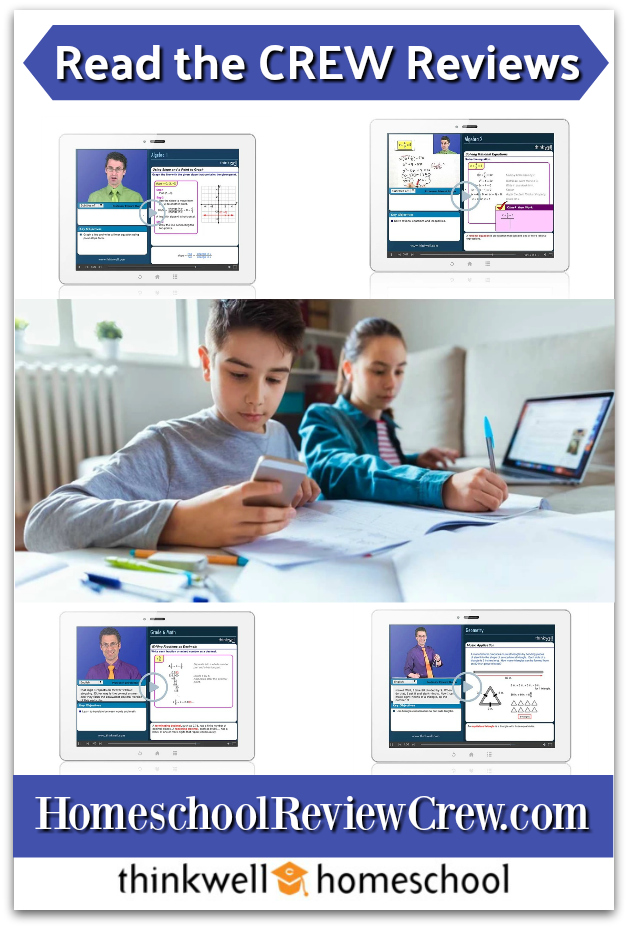
Thinkwell homeschool is a new online math program we are trying out for the Homeschool Review Crew. We received the 7th grade math which is designed for middle school students there is also an honors version if you have a child that is a little more advanced. These are online courses that offer 12 months of access. Price per course is around $125.00 a year per course.

We started off by taking the placement test that they offer online. The girls did well with the
placement test and it scored them in there current grade level. Gabby is doing Thinkwells7th grade math with Professor Edward Burger. There are approximately 320 video lessons in this course. The videos lessons are some where in the ball park of 5-10 minutes long. Short and to the point videos help to keep her attention.  The program offers a 36 week lesson plan that all laid out and ready to follow. I can print the lesson plans off so the girls can pin them on there schedule board where its easy for them to see what they need to do each day. I like that they are already done for me so it saves me tones of time.

Lessons and assessments are automatically graded saving me time and giving the girls the feed back they need quickly so they know what they need to work on. The drill and practice exercises not only automatically graded but they are given step-by-step answer feed back to help them see what they did wrong. Assessments are also automatically graded. The program offers chapter and practice test as well as midterm and final exams. I feel like they test often enough to give me a good picture of what the girls know and what they need to continue working on.

I discovered printable worksheets that come with answer keys. We used these after the girls finished the online portion of the program. They give them lots of extra practice to really help drive the concept they are learning home. I like to see them practice working problems out on paper and not just the computer. So I am always happy to see good worksheets like these.

Gabby was impressed with the video part of the program. Our current math program has videos but there is not person in the video it just shows the problem being worked out. Thinkwell is completely different. It shows the problem on the right then on the upper left it shows the instructor. Then it shows the instructor working out the problem. He is actually writing and doing the problem even shows him using the calculator when necessary. She felt that his explanation were simpler and easier to understand then our other math program. She really likes that there is a real person showing her what to do although she couldn't really tell me why. I think its just a better connection having a person explaining rather than just a voice and a mouse clicking around the screen.

Over all I think this is a fun math program that I can see us continuing to use when our subscription runs out. Be sure to click the banner below and see what the other reviewers are saying about the program.

6th to 8th Grade Math (Pre-Algebra) and High School Math  (Algebra to Calculus) {Thinkwell Reviews}

Facebook: https://www.facebook.com/ThinkwellLearning/
YouTube: https://www.youtube.com/user/ThinkwellVids/
Crew Disclaimer

Tuesday, November 12, 2019

Elephant Learning Math Academy Review


We are trying out a new math program called Elephant Learning Math Academy. This is an online program and we received a 12month subscription. Elephant Learning Math Academy is an automated math academy for students from ages 2-16. The website advertises that the program can teach students at least 1 year of math in 3 months when they system is used 30 minutes a week. Tuition for Elephant Learning Math Academy is currently $35 per month and covers up to 3 students at sign up how ever you may request more students after sign up and they will cover all of your children in your immediate family.  They also have a scholarship program that you can apply for which is amazing.

I was excited for the girls to give this one a try. Math is just not a subject the girls find enjoyable and getting them to practice is difficult. I decided that we would use this as an extra credit program to see if it would encourage them to practice a little more.

I got them all signed up I felt that sign up was easy. You will enter your students name and age gender etc. You can select if they get unlimited play or if you want to limit it to 20min a day. When they first log in  they will do an assessment of sorts to help the program judge where they need to be starting off at. After that each day it gives them different activities to do. The activities appear to be in the form of games. It has some cute graphics which is great for the younger kits. You child can use the program on a PC or you can download the app and use it on a phone or a tablet. We use it on an Ipad2 and so far we have not had any trouble getting it to work on the older operating system that the Ipad2 runs on. I am very please with this because some of then newer apps will not work on the older Ipad2.


Some of the topics covered in the levels that the girls are currently in are: Multiplying Division Arrays, Understanding Fractions Collections I, Representation of Fractions, Percentage of Collections, Introduction to the Language of Decimals and many more.
When your child opens the app they select there screen it toggles back and forth using an arrow if you have more than one student. The child can see how they are doing in the different areas. W
hen they are ready to begin they select continue course work and it will take them to the screen below. They can select from there which game they want to play. These are just a few of the games or activities that they have to choose from. I have tested out a few of them my self just to see how they were. Of the games I tried they were mostly set up the same just with different characters that you move around to answer the questions. I like that it gives them another chance to answer the problem if they get it wrong but I feel like there should be a bit more explanation on how to do the problems to start with. The girls says that it is very repetitive and seem to take a long time before it moves on to something else. I'm not sure if this is because they are just not answering enough of the questions correctly or if it just requires a lot of practice. I did find where your student can test out of an area so this may be what we need to try doing when they get to the point where they feeling like its to easy and boredom is setting in.


Below you can see some screen shots of different math activities the program has given the girls.


From the parents end of things you can view different reports to see how your child is improving and what they have been working on as well as how much time has been spent.  I took a couple of screen shots so you can see what information is offered in the reports. I like that it tells me how much time they have been spending in the program that helps with my record keeping. I also like that I can quickly see what they have been working on. I would really like to have the ability to select which topic they work on. That way I could match it up with what they are working on in there primary curriculum. The default in the program allows for 20 minutes of play per day. But you also can generate a worksheet based on the current activities from each subject. How ever completing the worksheets do not update the adaption algorithm which means the program wont show your Childs advancements so the app games are preferable.


All in all this is a fun little supplemental math program that I think could be helpful to students who need a little extra math practice. After a several weeks of the program the girls still say its to easy for them and that's ok. They are still willing to play it for me even if its a little easy. I think its a great way for them to review with out flash cards or boring worksheets.


Be sure to click the banner below and check out what the other Crew Members are saying about Elephant Learning Math Academy.


Elephant Learning Math Academy Subscription {Elephant Learning Math Academy Reviews}

Social Media Links:

Facebook: https://www.facebook.com/ElephantLearningApp/
Pinterest: https://www.pinterest.com/pin/326018460521178485/
YouTube: https://www.youtube.com/channel/UC-trzn9RVkSyRnycLYfoXwA
Instagram: https://www.instagram.com/elephantlearningapp/


Crew Disclaimer

Tuesday, November 5, 2019

Kregel Publications Goldtown Beginnings Series Review

Its book time!!! Kregel Publications  has sent us two of the first books from the new Goldtown Beginnings. Jem Strikes Gold and Jem's Frog Fiasco You can find the hole series https://www.kregel.com/series/goldtown-beginnings. We have read several other book series by Kregel Publications so we were excited to give these a try. I found that the price of the series is quite reasonable and I was happy to discover some great free age appropriate learning activities at www.circlecsteppingstones.com.

The girls jumped right into these books. I think they had the first one finished before the end of the day they just couldn't put it down. The books are set in California in the year 1859. Anyone who remembers a little California history knows in 1859 thousands of settlers were coming to California for the gold rush. In the book this great kid named Jem and his family are trying to survive during the gold rush. The family pans for gold and sells pie to try and make enough money to survive. Jem runs into some trouble with a bully and finds a unique ways to deal with him. I don't want to give the hole story away but the girls just knew Jem and his little sister were going to get to keep that little dog.

In the second book Jem's Frog Fiasco. Jem has to find a way to feed his dog and ends up getting hired to catch bullfrogs for the local Café. Jem's little sister try's to help but like so many siblings arguments he thinks she is just getting in the way. After an argument little sis disappears and the search is on. The girls were on the edge of there seats for this book. One thought she was going to be kidnaped and the other thought they were going to find her hiding at the neighbors. If you want to find out what happens to the little sister your going to have to read the book because I'm not giving it away!

These are both really great books Both books sturdy soft cover books we had zero issues with the book construction. The cover is very appealing and in full color. We found a few pencil drawings in each book. The girls were excited to find pictures in the books many chapter books do not include pictures. The girls like see if the characters looked like they were imagining them to look or if they were completely off base. I love that each story teaches a different values. They are good hardy books that both boys and girls would love. I feel like the target age for the series is spot on neither to hard or to easy to read. The only complaint the girls had was the books were too short. I think the books were so good they just were not ready for them to end.


I would love for everyone to click the banner below and see what the other crew reviewers though of Goldtown Beginnings.


Jem Strikes Gold & Jem's Frog Fiasco  {Kregel Publications Reviews}


Crew Disclaimer

Wednesday, October 30, 2019

Calvert Homeschool Online Review

We are always looking for different ways to homeschool.  We were given the opportunity to try out a Calvert Homeschool. We received a 6month family subscription to Calvert Homeschool Online.  the family subscription covers up to 3 students and current pricing is $559.96 per year. I also found where you can purchase individual subject. I think this is a great idea because I like having the ability to mix and match curriculum to fit my kids needs. This program is completely online so you must have internet in order to use it. Calvert Homeschool offers classes in the basic subject areas. We found Language arts, Spelling for the younger grades, History/Social Studies/Geography (depending on the grade level) Math, and Science. The program use the Mastery approach to learning. With the belief that each student should have a complete comprehension of concept before they move on to the next level.

To get started you create your account, add your students and then assign what classes you want your child to take. We tested out the History/Social Studies area and the Language arts.

This program is completely online nothing to download or install. You or your child simply log in and away you go. The teachers dashboard allows you to follow everything your child does. You can look at your Childs progress, view messages from them. Create several different reports: report cards, grade report and a daily work report. The one thing missing is a way to record hours spent on the classes. For those of us in a state that requires us to track hours you will need to find something else to track you hours on. The program is self grading for the most part. We have found a few items that the program marks for me to go in and grade. It records everything from what lessons they have done to test scores.

The lessons include videos, audio files, games, interactive exercises. The girls log in to the program every day to find out what there assignments are. Once they long in they can easily see what I have assigned for them to do. They click the assignment view the topic they either watch a video clip, listen to an auto clip, read an assignment. They usually have some vocabulary words to learn and a game to play. Once they have worked through the material they move on to the questions. Most of the questions are self graded. I have found some things that it will mark for me to go in and grade. These are usually written assignments likes essays and paragraphs.

For the history/social studies subject the girls are finding it a little boring but they seem to be scoring well with it. For an online history/social studies course its decent enough. I feel like it covers the topics needed for the two grade levels we are working with. The set up for delivery of the lesson is similar to our original history program so the girls were able to step into this one fairly easily. They think more video lessons would improve it. They says its a bit heavy on the reading and by the time they get to the end of the days lesson they are starting to have a hard time focusing on the lesson. They prefer the Calvert Homeschool lessons over our original history/social studies program. They say the explanations are better and easier to understand.

Language arts is another section we are exploring. It covers different things for different grade levels of course but a few of the topics covered that we looked at are things like capitalization rules, story contex, grammar practice, point of view, Imagery and a hole lot more. Gabby says she would like to see the Language arts section have some more videos to help with understanding. But she also says that the written explanations are better than most and are usually easy to understand. She is a visual learner and videos are her cup of tea. She is scoring better on it than she did with the last online language arts program we used.


I dabbled around in the science portion of the program just to see what it was like. The girls explored it a little but for some reason they prefer our current science curriculum which is a very hands on curriculum. 

Math is also available through Calvert I took a look at this part because I am on the fence about switching math programs since the girls have done so well with what we have been using. The Calvert math looks to cover all the main topics for grade level math. Gabby gave some of the lessons a try. She is scoring well on them but Im not sure if its because she understands the explanations or if its because they are topics she has already covered in our current curriculum. The written explanations we viewed seemed to be explained in a simplified manner. We did find a number of video lessons which we were pleased with. I felt like the videos were to the point and did not have a lot of fluff which the girls tend to get overwhelmed with. 
Over all I think Calvert Homeschool would be a good option for a parent that needs some extra help with lessons. The self grading aspect defiantly takes some of the weight off. I would like to see a way for parents to enter the amount of time there child spent working on a lesson. The girls would like to see more video lessons to help with understanding and to help break up the amount of reading. I would love for everyone to click the banner below and see how other crew families used Calvert Homeschool.
Calvert Homeschool Online {Calvert Homeschool Reviews}
Social Media Links:

Facebook: www.facebook.com/CalvertHomeschool
Twitter: https://twitter.com/CalvertEdu
Instagram: www.instagram.com/calverthomeschool
Pinterest: https://www.pinterest.com/CalvertHomeschool/
Crew Disclaimer